
At Spinmaya, you can deposit using familiar payment methods: your debit card, credit card, Skrill, Neteller or a prepaid card. Your money is credited to your balance immediately, so you can start playing straight away. You can also withdraw your winnings in just a few steps through the cashier. On this page, you will learn how deposits and withdrawals work, which limits and fees apply, how the welcome bonus fits into the process and what to do if a payment fails.
| Payment method | Deposits | Withdrawals | Welcome bonus |
|---|---|---|---|
| Debit card | ✔ | ✔ | ✔ |
| Credit card | ✔ | ✔ | ✔ |
| Skrill | ✔ | ✔ | Often not eligible |
| Neteller | ✔ | ✔ | Often not eligible |
| Prepaid card | ✔ | ✘ | ✔ |






Depositing Money at Spinmaya Casino
Making a deposit at Spinmaya is straightforward. Open the cashier, choose your preferred payment method, enter the amount and confirm. Within seconds, the money will appear in your balance. You play in euros, so you do not have to worry about currency conversion. If you want a bonus, select it before making your payment.
How to Deposit Money at Spinmaya
Logging In to Your Account
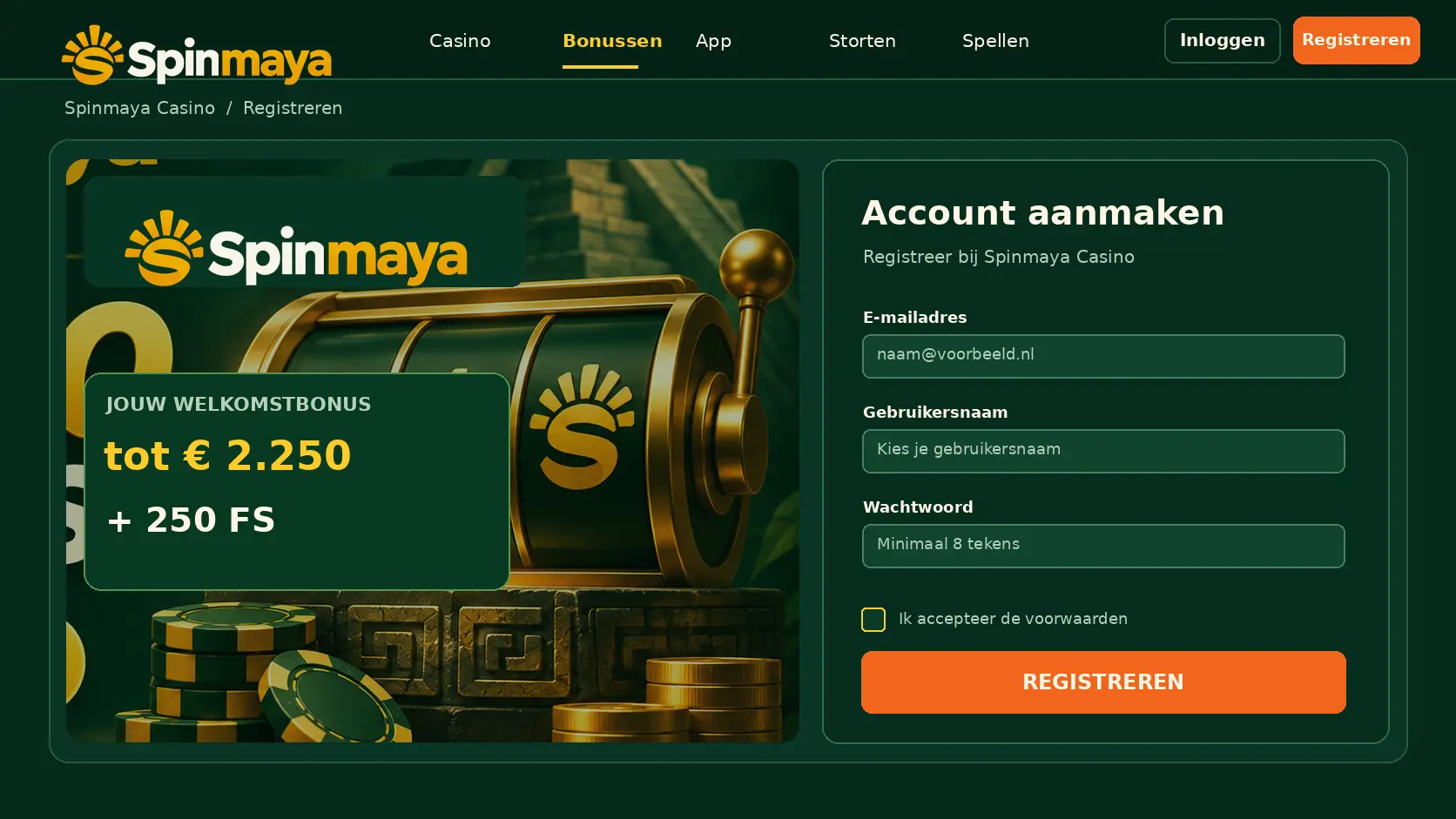
Log in using your email address and password through the button in the upper-right corner. If you do not have an account yet, create one first and confirm your email address. You can then make your first deposit immediately.
Opening the Cashier
Click the deposit button or open the cashier through your account menu. Here you will see all payment methods available for your account, along with the minimum deposit amount for each method.
Choosing a Payment Method
Choose the method that suits you best. Your debit card or credit card is ideal if you want to claim the welcome bonus. Skrill and Neteller are convenient if you prefer to keep your casino funds separate from your bank account.
Entering the Amount
Enter the amount you want to deposit. Keep it within your personal budget and pay attention to the minimum amount displayed for your chosen method. If you want a bonus, check whether your deposit is high enough to qualify for the promotion.
Confirming the Payment
Confirm your deposit and follow any additional steps required by your bank or payment provider. Once the payment is complete, the amount will appear in your balance and you can start playing.
Payment Methods at Spinmaya
Paying with Your Debit Card or Credit Card
You can deposit quickly and conveniently using your debit card or credit card. Enter your card details, confirm the payment with your bank and the funds will be credited to your balance. These methods qualify for the welcome bonus, and you can also receive your winnings through them.
Paying with a Digital Wallet
Skrill and Neteller are digital wallets that allow you to make payments without sharing your bank details directly with the casino. Deposits are processed immediately, and withdrawals often arrive quickly. However, keep in mind that deposits made through these services frequently do not qualify for the welcome bonus.
Paying with Cryptocurrency
Spinmaya mainly focuses on familiar payment methods in euros. If you want to pay with cryptocurrency, check the cashier to see whether your preferred coin is available. When making a cryptocurrency deposit, always select the network specified in the cashier and copy the address directly to ensure your deposit arrives correctly.
Other Payment Options
With a prepaid card, you can deposit a fixed amount anonymously without using a bank account or credit card. This is convenient if you want to keep strict control over your spending. Withdrawals to prepaid cards are not possible, so you will need to choose another method.
Minimum and Maximum Deposits
The Minimum Deposit Amount
Each payment method has a minimum deposit amount, which is displayed in the cashier. The welcome bonus may require a higher minimum deposit than a regular payment. Therefore, check the amount carefully if you want to claim a bonus.
The Maximum Amount per Payment
Each deposit also has a maximum amount, which may vary depending on the payment method. Your bank or payment provider may also impose its own limits. If you want to deposit a larger amount, you can split it across multiple payments.
Setting Your Own Deposit Limit
In your account, you can set your own limit on how much you are allowed to deposit per day, week or month. If you lower this limit, the change takes effect immediately. An increase only takes effect after a cooling-off period, preventing you from depositing more on impulse.
How Quickly Will Your Money Be Credited?
Payments That Arrive Immediately
Deposits made using your debit card, credit card, Skrill, Neteller or prepaid card are processed immediately. Once you confirm the payment, the money appears in your balance and you can start playing.
Waiting Times for Cryptocurrency
If you deposit using cryptocurrency, the transaction must first be confirmed by the network. Depending on the cryptocurrency and network traffic, this may take several minutes. You can check your wallet and the cashier to see when the deposit has arrived.
Tracking Your Payment Status
Your transaction history shows the amount, date and status of each deposit. If a payment is marked as pending, it has not yet been fully processed. Keep your payment confirmation if you are unsure.
Deposit Fees
Does Spinmaya Charge Fees?
Spinmaya does not charge any fees for deposits. The full amount you deposit is credited to your balance.
Fees Charged by Your Bank or Payment Provider
Your bank or payment provider may charge its own fees, for example, for credit card payments or adding funds to a digital wallet. Check your provider's fees if you want to be certain.
Playing in Euros
At Spinmaya, you play in euros. This means you do not incur currency conversion fees when depositing from the Netherlands using a euro-denominated account. The amount you deposit is reflected in your balance on a one-to-one basis.
Your First Deposit and the Welcome Bonus
The Bonus of Up to €2.250 and 250 Free Spins
Your first deposits can be boosted by the welcome package: a total of up to €2.250 in extra playing funds and 250 free spins. Select the bonus in the cashier before paying, and it will be credited automatically.
The Minimum Deposit for the Bonus
The welcome bonus has a minimum deposit requirement, which you can see in the cashier as soon as you select the bonus. If you deposit less, your payment will still be processed, but without the bonus.
Payment Methods That Do Not Qualify
Deposits made with Skrill and Neteller often do not qualify for the welcome bonus. If you want the bonus, deposit using your debit card or credit card. The cashier shows whether the bonus is available for each payment method.
Why Is Your Deposit Declined?
Insufficient Funds in Your Account
If there is not enough money in your bank account or on your card, the payment will be declined. Check your balance with your bank and then try again with a suitable amount.
Incorrect Payment Details
A typing error in your card number, expiry date or security code can result in a declined payment. Carefully enter your details again and check every digit.
You Have Reached Your Limit
If you have set a deposit limit and reached it, you will not be able to deposit more for the time being. Your bank may also have its own limits for payments to casinos.
Your Account Needs to Be Verified First
Sometimes Spinmaya may ask you to verify your identity before you can continue making deposits. In that case, upload your identity document and proof of address in your account. Once approved, you can make payments as usual again.
You Have Deposited, but Your Balance Is Incorrect
Checking Your Transaction History
First, check your transaction history to see whether the deposit appears and what status it has. Compare the amount with your bank statement to confirm whether the money has actually been deducted.
Payment Still Pending
If the payment is still pending, it is almost complete. Wait a few minutes and refresh the page. Do not make another deposit in the meantime, as you could accidentally pay twice.
Contacting Customer Support
If your balance still has not been updated, contact support via live chat or email. Provide the amount, date and payment method. Never share your password or full card details.
Withdrawing Your Winnings
Requesting a Withdrawal
You can request a withdrawal through the cashier. Choose your method, enter the amount and confirm. If you have an active bonus, you must first complete the wagering requirement before you can withdraw your bonus winnings.
Verifying Your Account
For your first withdrawal, Spinmaya requests proof of identity and proof of address. Sometimes proof of your payment method is also required. Upload these documents immediately after registering to speed up your first withdrawal.
How Long a Withdrawal Takes
After approval, your money is transferred to your bank account or digital wallet. Withdrawals to Skrill and Neteller usually arrive the fastest, while transfers to your bank account or card take a few additional business days.
Depositing on Your Phone
Making a deposit on your phone works exactly the same way as on your computer. Open Spinmaya in your browser, go to the cashier and choose your payment method. When paying by credit card, you can often confirm the transaction directly in your banking app, making the process even faster.
Making Secure Payments at Spinmaya
A Secure Connection
All payments at Spinmaya are processed through an encrypted connection. This protects your card and bank account details from outsiders.
Keeping Your Payment Details Secure
Avoid making payments over public Wi-Fi in public places, and do not save your card details on a shared device. Never share login codes or security codes, even with someone claiming to represent the casino.
Only Paying with Your Own Account
Only use payment methods registered in your own name. Paying with someone else's card or bank account can cause problems during account verification and may block your withdrawal.
Checking Your Transaction History
In your account, you will find an overview of all your deposits and withdrawals. This allows you to see exactly how much you have deposited and withdrawn over a specific period. It is a useful tool for keeping track of your gambling budget.